DE EN ES
wolfeye.co
Pricing 14 Days Free Trial

Wolfeye Features: Top Employee Monitoring for SMEs 2025

Wolfeye is the simplest way to see live what your team is working on – without micromanagement. Perfect for SMEs and IT providers aiming for +30% productivity.

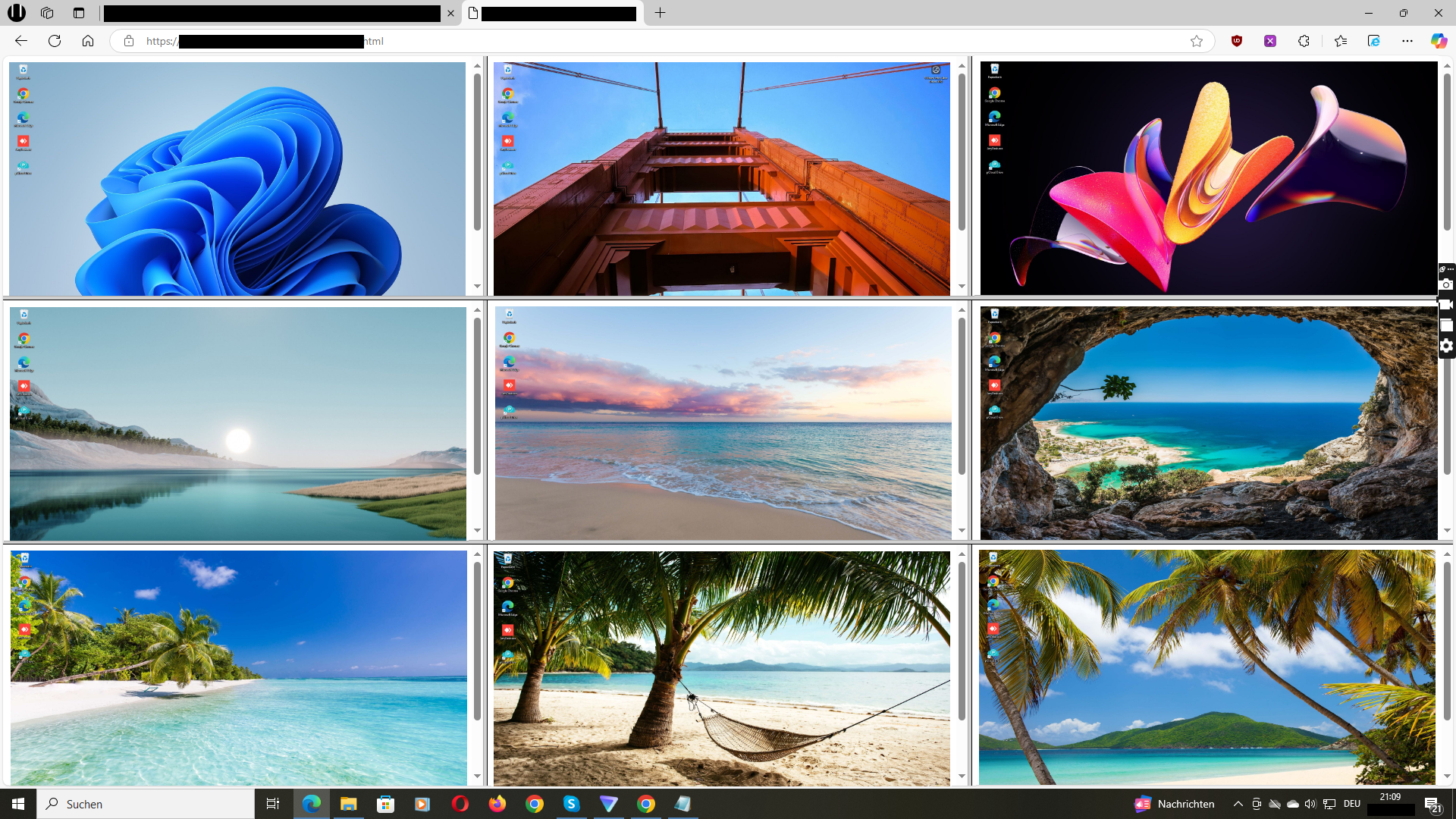
Live Screens in Real Time

See what your employees are working on – remotely, in the browser, updated every 3 seconds.

Optional: Enable archiving via email (Subject: “Activate Archiving”).

Immediate transparency – detect time-wasting in real time.
14 Days Free Trial
Wolfeye Live Dashboard: Real-time SME screens

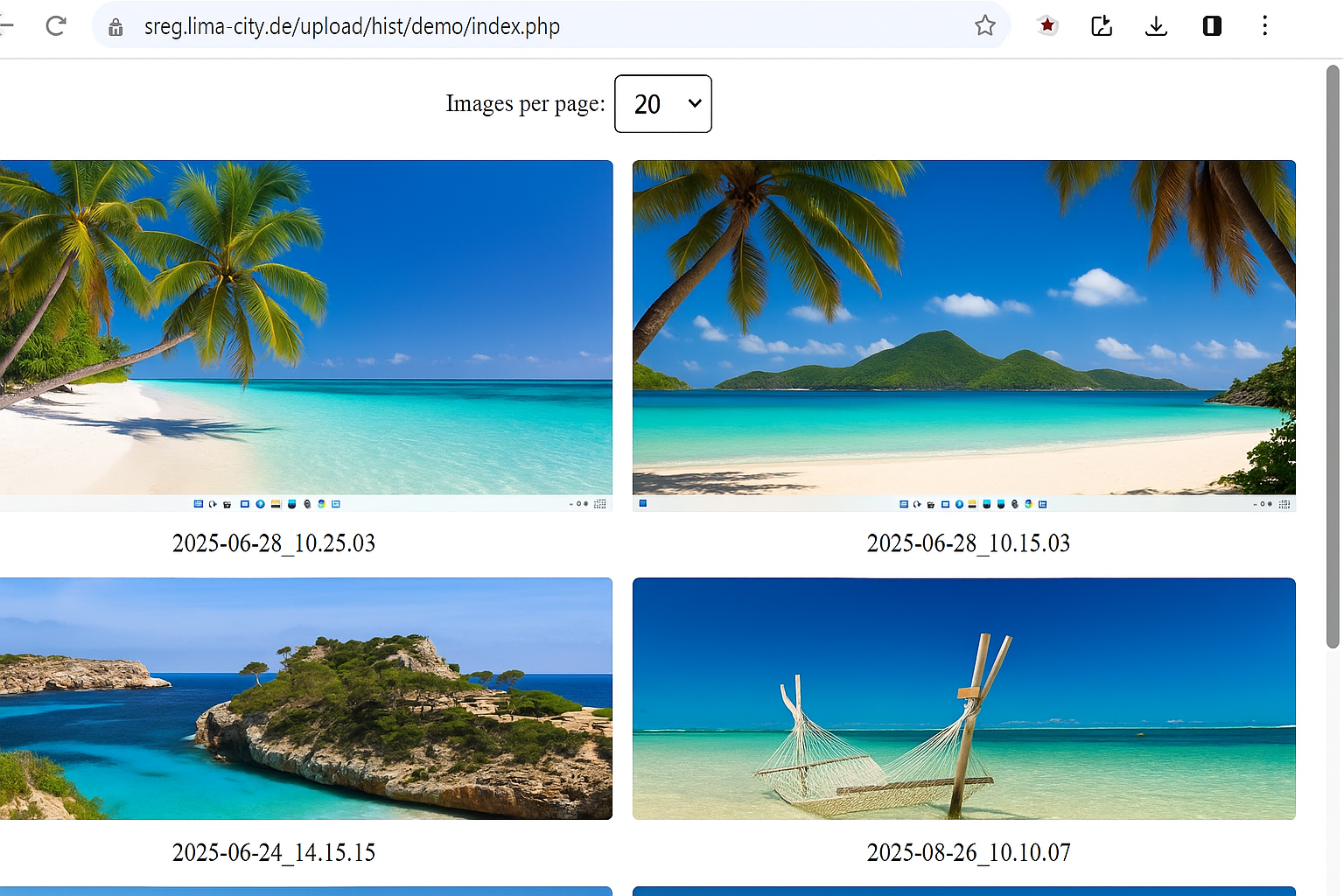
Screenshot History

Automatic screenshots show which websites are used – ideal for analyzing time theft (e.g. 1.7 hrs/day on social media).

Archive via email or WhatsApp: +49 151 23278866

Proof, not guesses – +25% efficiency in logistics.
14 Days Free Trial
Wolfeye Screenshot History with Timestamps

Central Dashboard for Multiple Live Screens

One login – all live screens in view. Scalable from 5 to 500 employees. Grid view included.

Request dashboard link via email (Subject: “Dashboard”).

Central control – no app switching, no chaos.
14 Days Free Trial
Wolfeye SME Dashboard with Grid View

Discreet Background Mode (Stealth Mode)

Wolfeye can start automatically and run in the background with minimal user visibility – ideal for measuring work patterns without adding extra tools in the foreground.

Important: How “invisible” you may run Wolfeye (especially for employees) strictly depends on local labour and privacy law. In many jurisdictions, covert permanent monitoring is only allowed in very limited cases or is prohibited. We generally recommend transparent use with clear IT policies and legal review.

Real data – no “show work” caused by visible tools.
14 Days Free Trial
Wolfeye Stealth Mode – Invisible to Employees

Transparency: How Wolfeye Handles Screenshots

Live mode: Roughly every 3 seconds a current screenshot of the monitored PC is sent to our server so it can be shown in the dashboard. The previous screenshot is overwritten by the new one – without the history feature enabled, we do not permanently store these screenshots.

Screenshot history (optional): By default, no history is active. If you enable it, a screenshot is additionally stored in a separate history area about every 5 minutes and kept there until you delete it or clean up your history.

Security: Screenshot transmission is protected via HTTPS (TLS). The live screenshot and the history area on the server can optionally be protected with a password (.htaccess).

Important: You as the customer are responsible for the lawful use (e.g. informing employees, employment law requirements, local laws). We provide the technical infrastructure.

See Wolfeye in Action

See how Wolfeye monitors live, saves screenshots, and detects idle time. Interval: 3 seconds – perfect for real-time transparency.

Video: Wolfeye Live Monitoring & Screenshot History in Action (YouTube)

“Since Wolfeye, we know who’s really working – and save 20 hours/week. Our IT clients love the easy setup.”
— Markus S., IT Agency Owner (32 Employees)

Frequently Asked Questions

Can I use Wolfeye worldwide?

Yes – Wolfeye works in any country with internet. It is technically usable worldwide. Please check local laws on employee monitoring in your region (e.g. Peru, USA, EU). We do not provide legal advice. Technical info →

Can I resell Wolfeye?

Yes! IT providers enable clients to monitor independently. Remote setup in minutes. Reseller Info.

Does it work in home office?

Yes, live monitoring over the internet. No VPN needed.

Is there a trial?

Yes, 14 days free – full functionality. Start now.

More success stories in the blog →

Start 14-day free trial →
Wolfeye is monitoring software. Its use is subject to local laws. We do not provide legal advice. Please consult a qualified attorney to ensure compliance in your jurisdiction.
Chat with me on WhatsApp