
1. What a keylogger is – and why the term is problematic
A keylogger records every keyboard input: typed texts, search queries, private messages – and inevitably passwords and credentials. Technically it works invisibly in the background and creates a complete log of all inputs.
That is exactly why the term is so sensitive legally and reputationally: a complete keyboard recording captures far more than any work purpose can justify. In many jurisdictions, its use against employees is practically impossible to present as proportionate. Wolfeye is not a keylogger and does not record keyboard input.
2. Live screen view: the current visible state
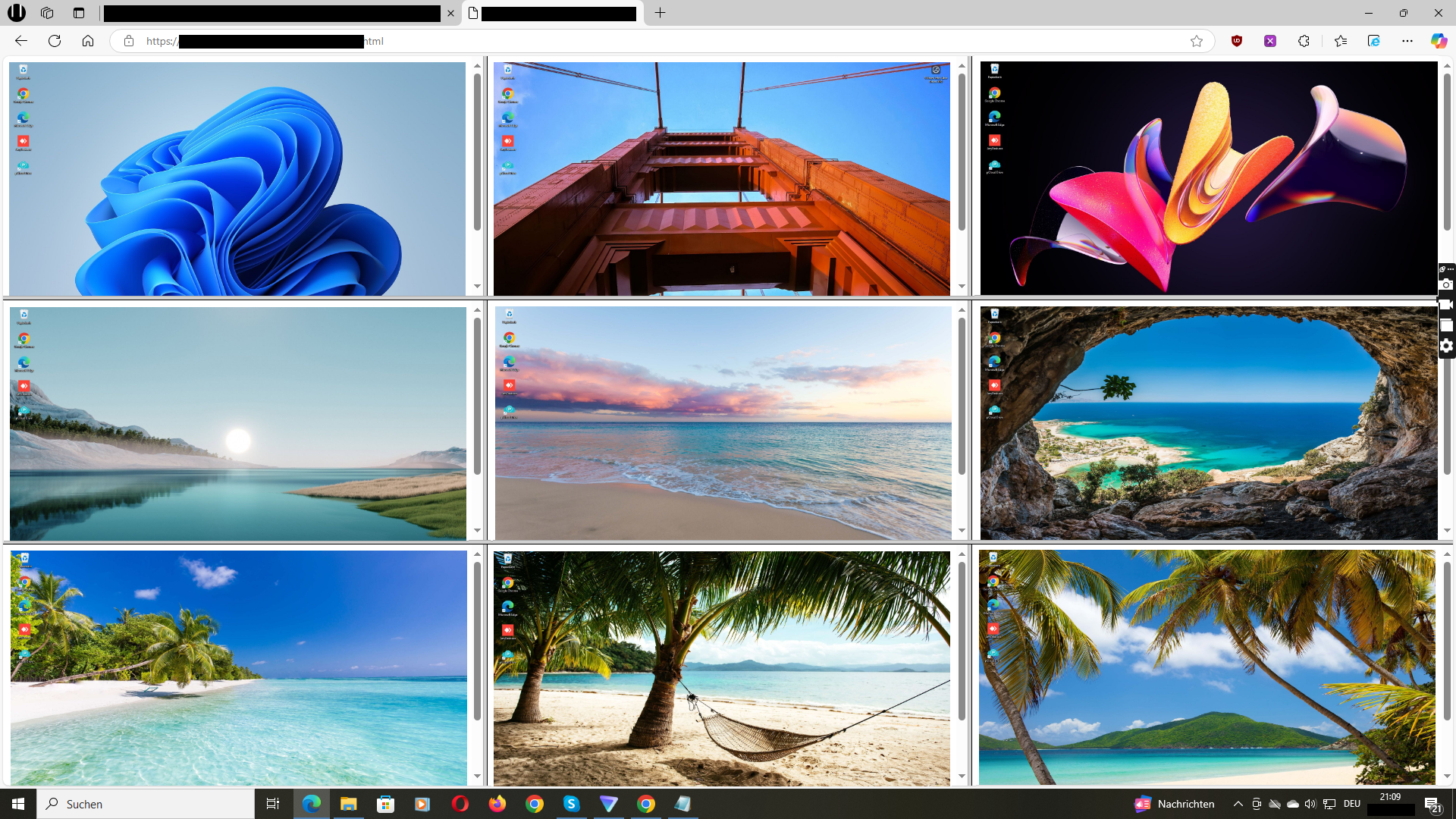
A live view shows what is currently visible on a company PC’s screen – as if you were briefly standing behind the workstation. Wolfeye displays the screens of managed Windows PCs together in a browser; its product description says the view refreshes every few seconds.
The decisive difference from a keylogger: you see the visible work state, but no complete input log. Passwords are not read, and no permanent recording is created that could be searched later. That makes live view the most privacy-friendly form of screen overview.
3. Screenshot history: the stored middle ground
A screenshot history stores images of the screen at intervals, so you can later reconstruct what was visible and when. It captures no keyboard input, but it creates permanent data – with all the follow-up questions: who has access? How long is it retained? When is it deleted?
Whether a history is needed depends on the purpose. For a current overview – for example whether a team is reachable or someone is stuck on a task – live view is sufficient. A history is only justified when past states genuinely need to be evidenced. It is a separate storage decision, not a default.
4. The comparison in practice
Keylogger: complete log of all keyboard input, including passwords – highest privacy risk, hardly proportionate for business use. Screenshot history: images stored at intervals – medium risk, only with justified need and clear rules. Live view: current visible state without permanent storage – lowest risk, covers most business purposes.
For classifying Wolfeye: its focus is the live screen view. It is not keyboard recording and not covert background surveillance. The software is installed on the company’s managed Windows PCs, and the team should – as described in our other guides – be informed in advance.
5. Why the distinction matters for your company
First, legally: the more invasive the method, the harder it is to justify. Equating a live view with a keylogger either underestimates the keylogger’s risk or overestimates the live view’s. The legality guides on this site show: proportionality is the benchmark – and the method determines what is proportionate.
Second, for team acceptance: an openly communicated live view can be explained as a work tool. Covert keyboard recording cannot. Third, practically: for most management questions – is work flowing, where is help needed – you need the current view, not yesterday’s log.
6. Where Wolfeye fits
Wolfeye is a live screen overview for managed Windows PCs: several screens together in a browser, refreshed at short intervals. It is not remote control, not productivity analytics with automatic scoring – and not a keylogger.
If you want to see how this feels in practice, open the online demo: it shows a sample overview in your browser without installing anything. For a trial with your own PCs, contact the developer personally.
Your classification checklist
- Does the solution record keyboard input? Then it is a keylogger – highest risk.
- Does it store images permanently? Then rules for access, retention and deletion apply.
- Does it show only the current screen? Then it is a live view – lowest risk.
- Is the purpose concrete enough to justify the chosen method?
- Is the team informed about method and scope?
- Are only company-managed PCs included?
Common questions about the terminology
Is Wolfeye a keylogger?
No. Wolfeye does not record keyboard input and does not read passwords. It shows the currently visible screen of managed Windows PCs in a browser – a live screen view.
What is the difference between screen monitoring and keylogging?
Screen monitoring shows what is visible on the screen. Keylogging records every keystroke – including passwords and private messages. Keylogging is technically more invasive, legally hard to justify, and an entirely different use case.
Is a live view more privacy-friendly than a screenshot history?
Generally yes, because no permanent data is created. A history is a separate storage decision with its own requirements for access, retention and deletion – it should only be used with a justified need.
Are keyloggers generally banned in companies?
Complete keyboard recording of employees is practically impossible to present as proportionate in many jurisdictions, because it inevitably captures passwords and private content. Details depend on the country – see our legality guide and have your case reviewed locally.
Does Wolfeye also show private activities?
The live view shows the visible screen – which is why deployment belongs on company devices, during working hours and with an informed team. Employees’ personal devices do not belong in the scope.
Do I need to install anything for the online demo?
No. The link opens a sample overview in your browser. Seeing your own Windows PCs requires a separate setup. Contact the developer for a personal trial.