Why You Should Use Wolfeye to Monitor Your Employees - and no other Monitoring software
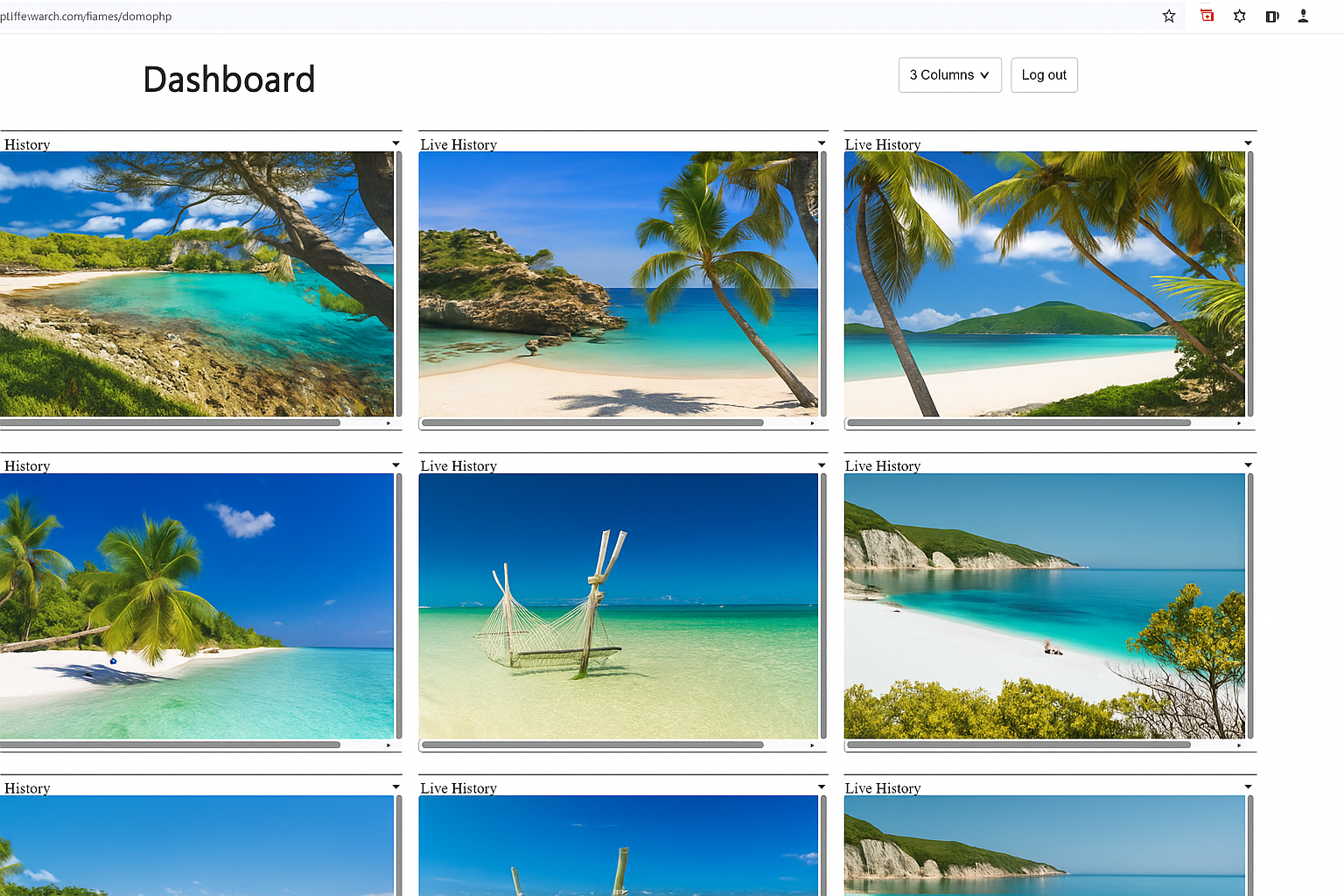
Many monitoring tools try to do everything at once: logs, reports, analytics, time tracking and broad surveillance features. Wolfeye takes a different approach by design: it focuses on what many companies actually want most — seeing company PC screens live in the browser, simply, directly and without unnecessary complexity.
Windows · Browser dashboard · Live screen visibility · Optional screenshot history · 14 days free
A focused live screen monitoring solution
Wolfeye is not trying to be the biggest monitoring suite. It is built to be simple, direct and focused on live screen visibility.
Live screen focus
Browser dashboard
Minimal data collection
Optional history
Why companies choose Wolfeye
Many monitoring platforms are built as large suites: logs, reports, analytics, time tracking, broad surveillance modules and many configuration layers. That can be useful for some companies — but many small and medium-sized businesses do not need such an overloaded system.
Wolfeye Remote Screen is intentionally focused. It is designed for companies that want clear live visibility of their company PCs in the browser, without turning employee monitoring into a complicated data-collection project.
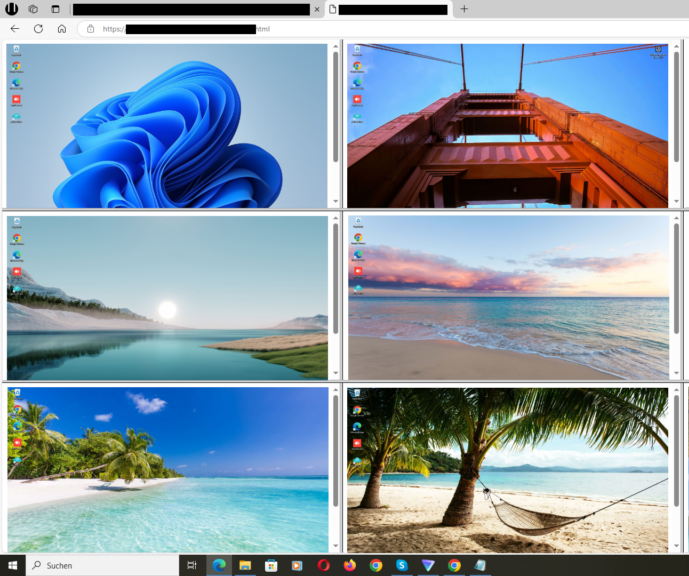
The idea is simple: install Wolfeye on the company computers you want to monitor, open your secure dashboard in the browser, and see the live screens in a clean overview. This makes Wolfeye especially useful for SMBs, IT providers, support teams, QA, training and remote team visibility.
Four reasons to choose Wolfeye
1. Live screen focus instead of an overloaded suite
Wolfeye focuses on what many SMBs and IT providers actually need: a clear live view of company PCs in the browser — instead of an overly complex monitoring platform with endless modules.
The result: less complexity, faster setup and a clearer view of what is happening right now.
14 Days Free Trial →
2. As little storage as necessary
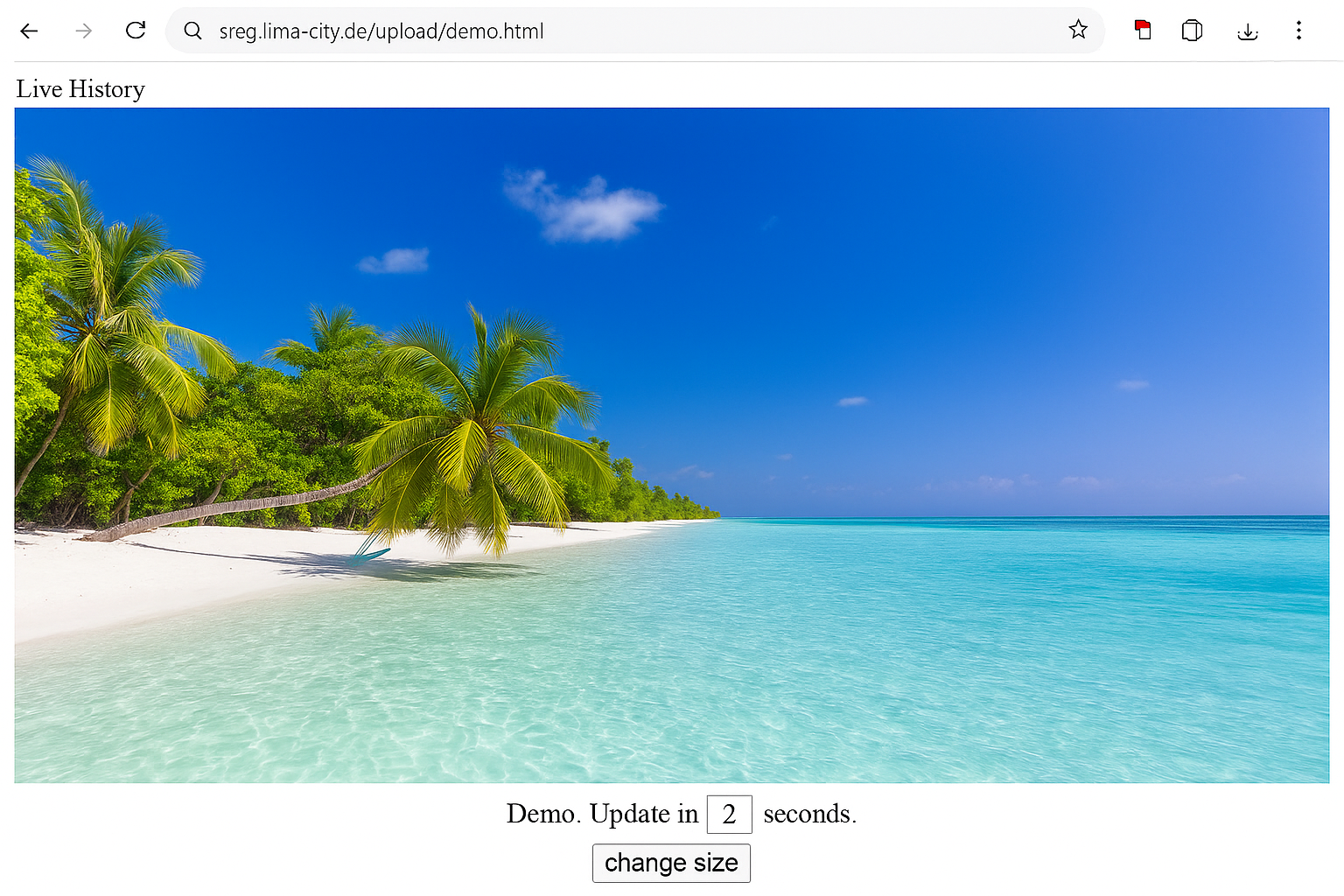
Without history enabled, the system is not designed for unnecessary permanent retention. Roughly every 3 seconds, the current screen view is transmitted so it can be shown in the dashboard. The previous view is replaced by the new one.
The result: live visibility without building a large permanent archive by default.
14 Days Free Trial →
3. Minimum data collection
Many customers do not want a monitoring tool that records everything. They prefer a lighter, more focused solution with fast setup, clear live visibility and more control over data retention.
The result: a focused monitoring approach for companies that do not want an oversized surveillance platform.
14 Days Free Trial →
4. Secure transmission and protected access
Screen views are transmitted via HTTPS/TLS. The current live view and, if enabled, the history area are additionally protected by password-based access control.
The result: live screen visibility with protected browser access.
14 Days Free Trial →
Transparency: How screenshots are handled
Live mode: Roughly every 3 seconds, a current screen view is transmitted so it can be displayed in the dashboard. The previous view is replaced by the new one.
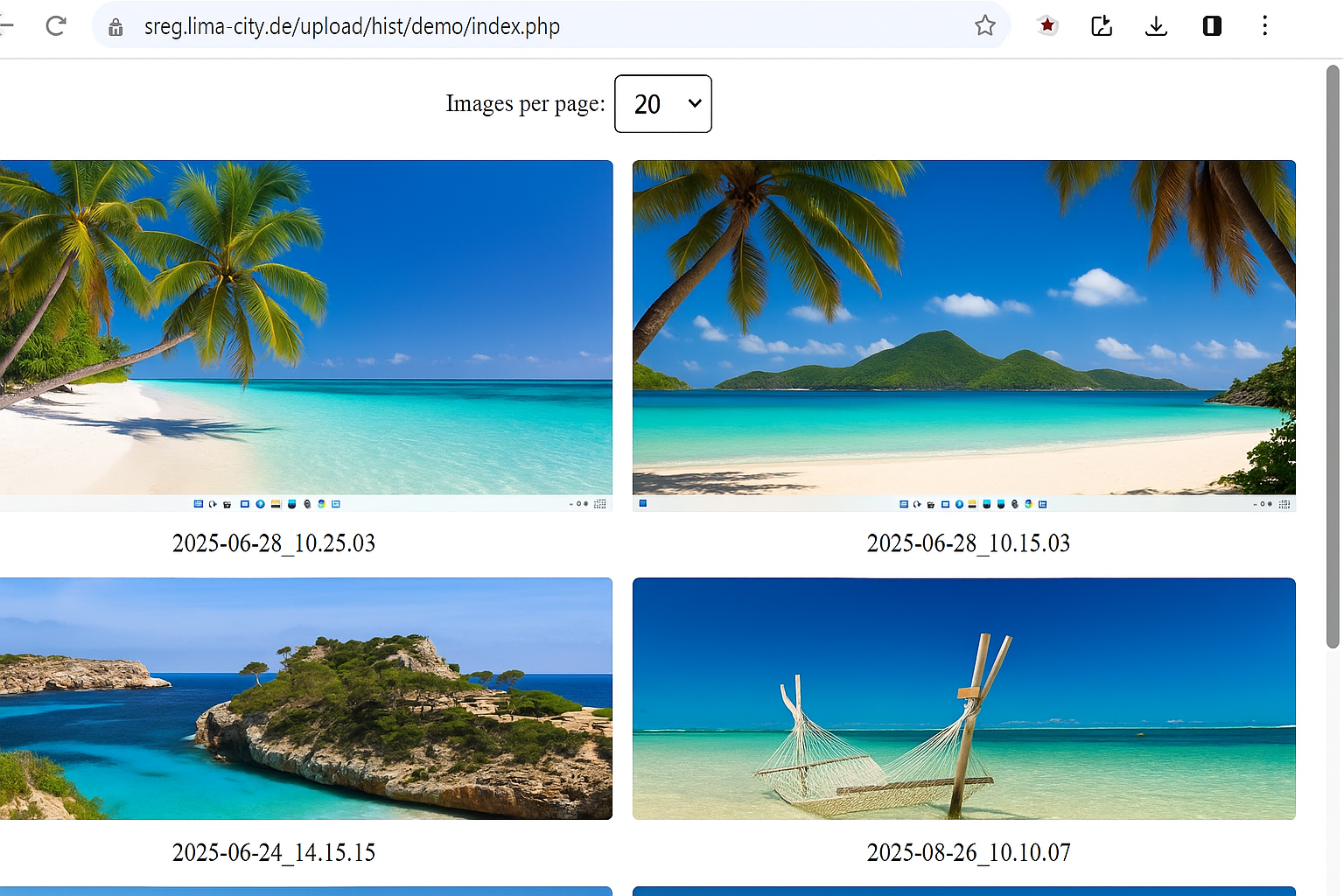
Screenshot history: A permanent history is only used if this function is explicitly enabled. If history is enabled, only a fixed number of screenshots is stored. Once that limit is reached, each new screenshot replaces the oldest one.
Secure transmission: Screen views are transmitted via HTTPS/TLS.
Protected access: The live view and the optional history area are protected by password-based access control.
Important: Employee monitoring is subject to local laws, employment rules, privacy rules and internal company policies. This page provides technical and organizational information, not legal advice.
Why not just use a full employee monitoring suite?
Full monitoring suites often try to cover everything: time tracking, keystrokes, application logs, websites, productivity scoring, reports, alerts and many other modules. That can quickly become too much if the company mainly wants one thing: to see what is happening on company PCs live.
Wolfeye is different. It does not try to overwhelm you with endless features. It focuses on live screen visibility and keeps the workflow simple. For many companies, this is exactly the practical use case they care about most.
Instead of spending time configuring complicated dashboards, you get a browser-based overview of your company computers. You can quickly check the current status, support employees, understand bottlenecks, assist with training and maintain better transparency in remote or hybrid teams.
The practical benefit: visibility without unnecessary complexity
Managers and IT providers often do not have time to analyze long reports every day. They need a quick way to understand what is happening across company computers. Wolfeye gives them exactly that: a live overview in the browser.
This is useful when an employee needs support, when a new employee is being trained, when a process needs to be checked, or when a company wants more transparency in remote work. Instead of calling the employee immediately or starting a remote control session, the responsible person can first see the live screen view.
Because Wolfeye is view-only by design, it is especially useful in situations where visibility is needed but direct control is not. It helps companies understand workflows without interrupting the person working on the computer.
A lighter approach to employee monitoring
Some companies are uncomfortable with monitoring tools that record everything. They do not want a tool that creates huge archives, collects unnecessary data or adds more complexity than needed.
Wolfeye is positioned for companies that want a lighter and more focused solution. The core feature is live screen monitoring. Screenshot history is optional. Data retention can be limited. The system is designed around visibility, not around collecting every possible data point.
This focused approach can make Wolfeye easier to explain internally and easier to implement technically. The company still needs a clear policy, a lawful basis and proper communication, but the software itself is not built as an oversized data collection suite.
“Wolfeye is built for companies that want live screen visibility — not an overloaded monitoring suite.”
— Wolfeye Remote Screen
Frequently Asked Questions
What makes Wolfeye different from other monitoring software?
Wolfeye is focused on live screen visibility. Many monitoring tools include many modules such as analytics, logs, time tracking and broad data collection. Wolfeye focuses on showing company PC screens live in the browser.
Does Wolfeye store every screenshot permanently?
No. Without history enabled, the current live view is replaced by the next one. Screenshot history is optional. If enabled, only a fixed number of screenshots is stored and new screenshots replace the oldest ones after the limit is reached.
Can I see company PC screens from my browser?
Yes. Wolfeye is designed to show live screen views in a browser-based dashboard.
Is Wolfeye a remote control tool?
No. Wolfeye is primarily a view-only live screen monitoring solution. It is not focused on controlling the employee PC.
Is the transmission protected?
Screen views are transmitted via HTTPS/TLS. The live view and optional history area are additionally protected by password-based access control.
Is employee monitoring legally allowed?
That depends on local laws, employment rules, privacy rules and internal policies. Wolfeye does not provide legal advice. Companies should get qualified legal advice, inform employees and obtain consent where required.
Wolfeye is monitoring software. Use is subject to local laws, especially employment and privacy rules. Unlawful use is prohibited. We do not provide legal advice. Please get qualified legal advice and inform employees / obtain consent where required.