
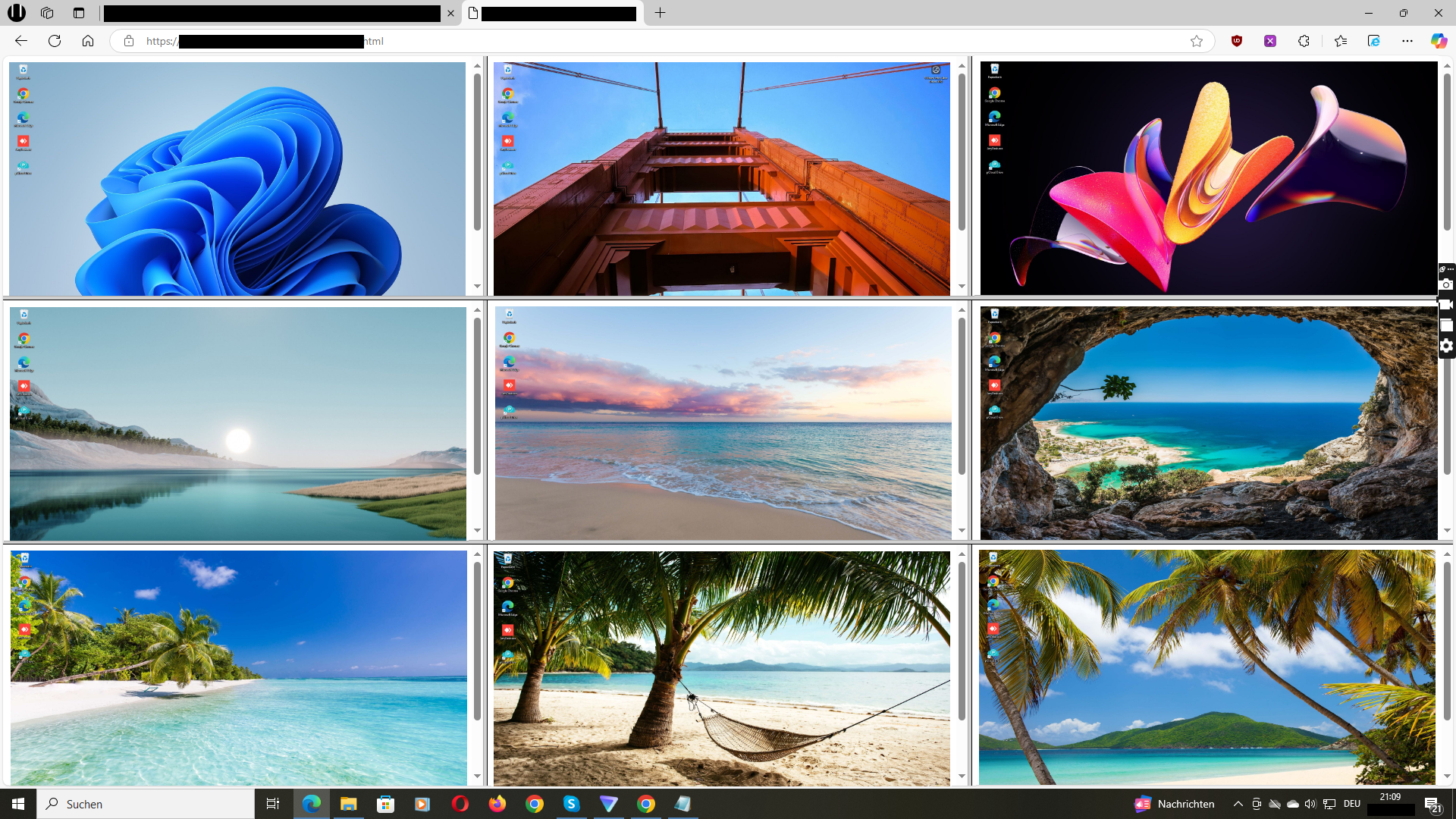
1. Define the concrete purpose first
“More visibility in the home office” is not a sufficient purpose. State the specific problem you want to solve: for example, knowing whether a support team is reachable and utilised, whether time records are plausible, or whether a critical task needs assistance. The more concrete the purpose, the easier it is to limit scope, access and duration.
Permanent, indiscriminate observation of all screens is neither professionally nor legally a sensible standard. Define in which situations the overview is used and by whom. Anything beyond that does not belong in the deployment scope.
2. Take the legal basis especially seriously in home offices
The home office enjoys particular legal protection because work and private life intersect there. In the EU, GDPR principles such as purpose limitation and data minimisation apply, along with an appropriate legal basis. In Germany, the Federal Data Protection Act and – where applicable – works council co-determination typically come into play. Monitoring without employees’ knowledge is generally not permissible.
Clarify with your privacy advisor before deployment: which data is collected, who has access, how long is it retained? Employee consent is often not the appropriate basis in an employment relationship because of the dependency involved. This guide is not legal advice – have your specific deployment reviewed.
3. Inform the team openly
Openness is not optional but a prerequisite: inform the team in writing about purpose, scope, access and retention before the software is installed. Explain what is visible – and what is not. Employees who know the framework are more likely to experience the overview as a work tool rather than surveillance.
A short, understandable policy helps: when is the view used, by whom, and what happens with the information? Offer a contact person for questions. Covertly expanding the scope destroys trust and is legally risky.
4. Consider live view instead of permanent recording
For many remote scenarios, live view is sufficient: you see the current work state when you need it and can ask targeted questions or offer help. A screenshot history is a separate storage decision – it creates additional data, access questions and deletion duties that not every purpose requires.
Ask yourself: do I really need evidence of past states, or is this about the current overview? If the latter applies, foregoing permanent storage is the more privacy-friendly and often more practical solution.
5. Keep scope and times narrow
Limit the deployment to company devices and agreed working hours. Employees’ personal devices do not belong in the scope. Even on company devices it should be clear that the overview serves work purposes – not the observation of private use during breaks or after hours.
Technically this means: the software is installed on the company’s managed Windows PCs, and the set of included devices and people with access is defined and documented. Expanding it “just in case” contradicts the principle of data minimisation.
6. Where Wolfeye fits – and where it does not
Wolfeye displays the screens of managed Windows PCs together in a browser; its product description says the view refreshes every few seconds. Software must be installed on each included PC. This suits teams that need a current overview of distributed devices – for example for support, billing or supervised tasks.
Wolfeye is a screen overview, not remote control and not a productivity analytics tool with automatic scoring. If you want to operate devices remotely, lock applications or automatically evaluate performance, that is not this product’s focus. Clarify open requirements during a personal trial.
Your checklist for remote-team deployment
- Is the concrete purpose documented and limited?
- Are legal basis, works council and privacy advisor involved?
- Has the team been informed in writing about purpose, scope and access?
- Are only company-managed Windows PCs included?
- Has it been decided whether a screenshot history is truly needed?
- Are access rights, usage times and deletion rules documented?
Common questions about home-office monitoring
May I view the screens of employees working from home?
Only under strict conditions: a concrete purpose, an appropriate legal basis, proportionality and informed employees. The home office is particularly protected. Have your planned deployment assessed by privacy advisors and, where applicable, the works council; this page is not legal advice.
Does Wolfeye work when the PCs are not in the office?
Yes. The software is installed on the managed Windows PCs and displays their screens in a browser – regardless of where the devices are located. The devices must be connected and the software running.
Do I have to record the screens permanently?
No. Live view covers many purposes. A screenshot history is a separate storage decision with its own requirements for access, retention and deletion. Store only when a concrete need exists.
Can I use it to evaluate work performance automatically?
No. A screen view shows only the visible state – not why someone paused or how good their work is. Use the overview as a reason to ask questions, not as an automatic performance rating.
Does this also apply to employees’ personal devices (BYOD)?
The deployment described here concerns company-managed Windows PCs. Monitoring employees’ personal devices is neither the purpose of this guide nor generally proportionate.
Do I need to install anything for the online demo?
No. The link opens a sample overview in your browser. Seeing your own Windows PCs requires a separate setup. Contact the developer for a personal trial.