Hybrid Teams in SMBs: 5 Practical Setups to Monitor Office and Remote PCs in One Live Screen Dashboard
A practical, non-legal guide for SMB owners and IT service providers: how to structure a live screen dashboard for hybrid teams – office and remote PCs – and which technical setups are common in everyday business.
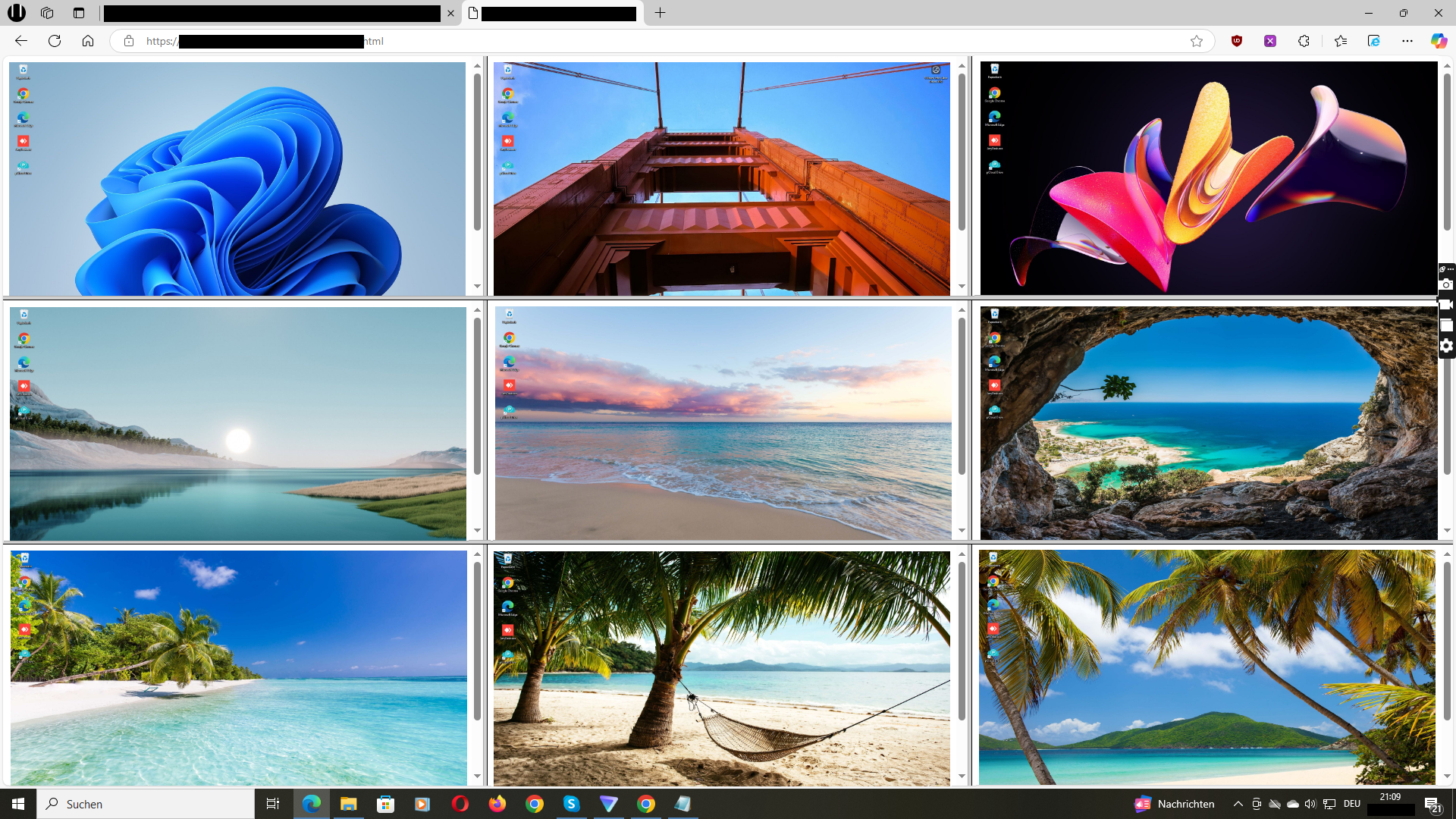
Illustrative dashboard view: office and remote company PCs side by side in one hybrid live screen monitoring setup.
For many small and mid-sized businesses, “hybrid work” has become the new normal: some people are in the office, others work from home, some switch between locations. IT service providers often have to support all of this at the same time.
One recurring question is:
- “How can we see what is happening on important office and remote PCs in one single live dashboard – without building an overly complex infrastructure?”
However, this topic is not just technical. It is also sensitive from a legal and organisational perspective. That is why this article has a clear focus:
- It describes technical and organisational setups for hybrid teams in SMBs and IT service providers.
- It does not provide legal advice and does not say what is allowed in any specific country or situation.
Before you introduce any monitoring of employee screens or company devices, you should always clarify the legal requirements for your situation with qualified legal counsel in your region. This article cannot replace that.
In the following sections, you will learn:
- What “hybrid teams” mean in the context of office and remote PCs
- Why one live screen dashboard can be useful – if and where it is legally allowed
- 5 practical setups that SMBs and IT providers use in everyday hybrid environments
- How to structure groups and views in a dashboard like Wolfeye
- Organisational best practices to keep such a setup lightweight and responsible
1. What Are “Hybrid Teams” in an SMB Context?
When we talk about hybrid teams here, we mean a very practical mix:
- Some employees work mainly in the office on fixed company PCs.
- Others work primarily from home or from different locations.
- Some switch between office days and remote days.
- External partners or service providers may also work on company-controlled PCs or remote desktops.
For the business owner and the IT provider, this leads to a few recurring challenges:
- They want to know whether key processes (for example support, back office, finance, data entry) run smoothly, no matter where the PCs are physically located.
- They want a way to support and train employees in different locations without constant phone calls and screen share sessions.
- They often manage a mix of VPN, RDP, cloud apps and local applications – which can make visibility difficult.
Screen monitoring with a live dashboard is one way to create a visual layer above this complexity: when it is legally allowed and organisationally agreed, you see selected office and remote PCs in one place and can better understand what is happening.
Again, whether you may use such a dashboard at all, whether employees must be informed and which formalities are required depends on the laws, regulations and contracts that apply to your company and use case (for example, training support, quality assurance). Always clarify this with legal counsel before you implement anything.
2. Why a Shared Live Screen Dashboard Can Be Helpful
From a purely technical and organisational point of view, a shared live screen dashboard for hybrid teams can help in several ways:
- Unified view: you see office and remote PCs in one place instead of juggling multiple tools and sessions.
- Faster support: team leads and IT providers can briefly look at a live screen instead of asking “What do you see right now?” over and over again.
- Training and onboarding: new employees can be supported during hybrid onboarding by visually checking whether they are in the right systems.
- Process quality: you can better understand how key processes (for example, ticket handling, data entry) are executed on the screen.
- Operational transparency: you get a better feeling for how the different parts of a hybrid team are working together.
All of this is about technical visibility, not about replacing contracts, HR policies or legal frameworks. The dashboard itself does not decide what is allowed – it only provides a technical possibility.
If you decide to use such a tool, you must make sure that:
- its use is permitted under the law in your country and industry,
- you consider the specific use case (for example, support during training vs. other purposes),
- you respect any obligations to inform employees or obtain consent, where required,
- and you clarify all of this beforehand with legal counsel.
3. Five Practical Hybrid Setups with Office and Remote PCs
Every organisation is different – but when you look at hybrid teams in SMBs and IT provider environments, certain patterns appear again and again. Here are five typical setups where a live screen dashboard like Wolfeye can play a role from a technical and organisational point of view (always assuming that the legal framework allows it in the specific case).
3.1 Classic hybrid office: some days on site, some days at home
In this setup, you might have for example:
- 10 employees in a support or back-office team,
- 3–4 days in the office, 1–2 days working from home,
- company-controlled PCs in the office, plus remote access or company laptops for home use.
From a technical point of view, a screen monitoring dashboard might be set up like this:
- Group “Office PCs” – fixed desktops in the office.
- Group “Remote / Home Office” – company laptops or remote desktop sessions used from home.
- Team leads can see both groups in one view when they support processes or training.
If you use such a setup, you need internal rules on when and how the dashboard may be accessed and – where required by law – information for employees or appropriate agreements.
3.2 Multiple locations plus remote workers
Another common hybrid scenario:
- Two or more office locations (for example, City A and City B),
- Teams in each location with their own PCs,
- Additional remote workers connected via VPN or remote desktop.
Technically, you might structure your live dashboard like this:
- Group “Location A – Operations PCs”
- Group “Location B – Operations PCs”
- Group “Remote staff”
Managers and IT providers can then quickly switch between groups instead of opening many individual remote sessions. Whether this is permissible in your jurisdiction, especially across locations and countries, is a legal question – not a technical one.
3.3 Hybrid call centre or support team
In a hybrid call centre or support team, you may have:
- Agents in the office,
- Agents working from home on company PCs or virtual desktops,
- Supervisors responsible for quality and coaching.
From a technical point of view, a live screen dashboard can show:
- All active agent PCs in a grid view, regardless of location.
- Live screens for quick troubleshooting (“Which screen do you see right now?”).
- Optional screenshot history for selected PCs to better understand how calls were handled.
Because call centres often operate in regulated environments and handle personal data, it is especially important here to clarify beforehand what kind of monitoring is allowed, under which conditions employees must be informed and which agreements are necessary.
3.4 Project teams with freelancers on company PCs
In many SMB projects, freelancers or external specialists work side by side with internal staff. A typical hybrid setup:
- Internal employees on office PCs and remote company laptops.
- Freelancers connecting to company-controlled PCs or terminal servers.
- Projects where processes and quality are important (for example, content production, data entry, back office support).
Technically, you might:
- Put project-related PCs in one dashboard group (“Project X”).
- Include both office and remote PCs used for that project.
- Use live screens and screenshot history for technical and organisational insight – where legally allowed.
Whether and how you may monitor screens of freelancers – and whether they must be explicitly informed or give consent – depends on local law and contracts. This must always be clarified with legal counsel before you deploy any monitoring.
3.5 MSP / IT service provider with several hybrid clients
Managed service providers (MSPs) and IT service companies often look after several SMB clients, each with their own hybrid teams. Technically, screen monitoring can be used:
- As an additional visual layer alongside RMM and ticketing tools.
- To quickly understand what happens on critical PCs at each client.
- To support training, troubleshooting and quality assurance in hybrid teams.
In such a multi-client scenario, separation is crucial:
- Each client has its own dashboard environment and PC groups.
- Access rights are defined per client and per role.
Again, whether and under which conditions you may offer such monitoring to your clients is a legal and contractual question. You should always define roles, responsibilities and legal aspects in your client agreements with the help of qualified legal counsel.
4. Structuring Your Live Dashboard for Hybrid Teams
From a technical and organisational perspective, how can you structure a live screen dashboard like Wolfeye so that it remains usable in hybrid environments and does not turn into chaos?
- Group by function first, then by location: for example, “Support – Office”, “Support – Remote”, “Back office – Office”, “Back office – Remote”.
- Use clear names: name PCs and groups in a way that team leads understand (for example, “SUPPORT-01”, “REMOTE-ACCOUNTS-02”).
- Define who sees what: not everyone needs access to the entire dashboard. Limit views to the PCs that are relevant for each role.
- Plan usage times: decide when the dashboard may be used (for example, during peak hours, during training sessions, for troubleshooting).
- Combine with existing tools: use screen monitoring as a visual complement to tools like ticketing, RMM and time tracking – not as a replacement.
All of these are organisational choices. To keep the setup legally safe and transparent, you should align them with your internal policies and – where needed – legal requirements, for example information obligations toward employees.
5. Organisational Best Practices for Responsible Use
Hybrid setups can easily become complex. A few organisational principles help to keep your live screen dashboard focused and responsible:
- Start small: begin with a clearly defined group of PCs and roles (for example, one team) instead of the entire company.
- Document why you use it: write down the purpose (for example, training support, process quality, technical troubleshooting).
- Define roles and access rights: specify who may use the dashboard and in which situations.
- Inform internally as required by law: if and how you have to inform employees about monitoring or obtain consent depends on your jurisdiction – clarify this with legal counsel and implement it.
- Avoid “monitoring just in case”: focus on clearly defined use cases instead of permanent observation without purpose.
- Combine monitoring with coaching: use what you see to improve training, documentation and processes.
These are general organisational suggestions only. They are not legal guidelines and do not say what is permitted in your specific situation.
6. Legal Considerations and Clear Limitations
It is important to repeat: this article does not provide legal advice. It only describes technical possibilities and organisational patterns for hybrid teams. Whether you may monitor screens in your country and in your specific use case is a separate question.
In many countries, important factors include for example:
- Which laws and regulations apply to your company and industry.
- Whether the PCs are company-controlled devices or private devices.
- Which use case you have (for example, supervision of training, quality assurance, security, other purposes).
- Whether employees or users must be informed or give consent and how this must be documented.
- Whether works councils or similar bodies must be involved.
Because these points differ greatly from country to country, this article deliberately stays on the technical and organisational level. You should not use it as a basis for legal decisions.
Before you deploy Wolfeye or any other monitoring software in a hybrid team, you should always obtain individual legal advice in your region. Legal counsel can help you determine:
- whether monitoring is allowed at all in your scenario,
- under which conditions (for example, information, consent, internal policies),
- and which limitations or safeguards you should put in place.
7. Live Demo Video: Hybrid Teams – Office and Remote PCs in One Dashboard
The video below shows a live demo of Wolfeye under the title “Hybrid Teams – Monitor Office and Remote PCs in One Wolfeye Dashboard”. You will see how office and remote PCs can appear together in a central screen monitoring view and how this looks in everyday use – purely from a technical and organisational perspective.
Video: Technical demo of hybrid teams in a Wolfeye live screen dashboard. The video is for general technical and organisational information only and does not replace legal advice.
Frequently Asked Questions – Hybrid Teams and Live Screen Dashboards
From a technical perspective, some environments use VPNs, others use remote desktops or cloud connections. Wolfeye focuses on screen monitoring of company-controlled PCs, regardless of whether they are used in the office or remotely. The exact network setup depends on your IT architecture. Security design and legal aspects (for example where data is processed) should be clarified with your IT and legal advisors.
In practice, many SMBs group devices by team and focus on the PCs that matter most (for example, support agents, back office). Technically, you can display many PCs, but from an organisational perspective it often makes sense to keep views manageable and to define clear responsibilities for who looks at which group.
From a technical point of view, yes: a live dashboard can show how trainees work through processes on company PCs during training. However, whether and under which conditions you may use monitoring for training supervision in your country depends on local laws and information or consent requirements. Always obtain legal advice first.
Whether any form of non-transparent or secret monitoring is allowed depends entirely on the laws and regulations that apply in your country, your industry and your specific use case. This article does not recommend any specific legal approach and does not provide legal advice. Before you use monitoring software, always clarify with qualified legal counsel whether monitoring is permitted at all in your scenario and, if so, under which conditions (for example, information, consent, policies).
Conclusion
Hybrid teams are here to stay in many small and mid-sized businesses. People work from the office, from home and from other locations – often on company-controlled PCs that run important processes.
From a technical and organisational perspective, a live screen dashboard like Wolfeye can help you create a shared view of office and remote PCs: you see key devices in one place, can support training and processes more effectively and understand what is happening on the screen.
At the same time, such monitoring is always embedded in a legal and organisational framework. Whether you may use it at all, in which use cases (for example training support or quality assurance) and under which conditions (for example information or consent requirements) depends on the laws and regulations in your country and on your internal policies and contracts.
Wolfeye provides the technical possibility for live screens and screenshot history on selected company PCs. It does not replace legal advice. A pragmatic approach is to first design a small, focused hybrid setup on paper, then discuss it with your IT and legal advisors, and only then roll out a pilot on company devices – in full compliance with the rules that apply to your situation.
Want to test how a hybrid live screen dashboard could look in your SMB?
Start 14-Day Free Trial
Wolfeye is monitoring software. Any use must comply with the laws and regulations that apply in your country, your industry and your specific use case (for example, supervision of training or quality assurance). In some jurisdictions, monitoring may depend on prior information of employees, explicit consent or other formal requirements. This article and the demo video are for general technical and organisational information only and do not constitute legal advice or a guarantee of admissibility.
Before using any monitoring software such as Wolfeye, always obtain individual legal advice in your country about whether and how you may monitor office and remote PCs in hybrid teams, and under which conditions employees or users must be informed or give consent.