
1. Why the announcement matters more than the technology
Employees are far more likely to accept a screen overview when they understand its purpose and know its boundaries. Conversely, any form of secrecy creates exactly the mistrust you want to reduce – and in many jurisdictions it is simply unlawful. A covert rollout endangers not only the working atmosphere but also the usability of any information gathered.
Plan the communication before the installation, not after. The order is: define the purpose, write the policy, inform the team, answer questions – only then install.
2. The announcement: honest, concrete, personal
Announce the rollout personally – in a team meeting or in a written notice followed by a Q&A. State three things clearly: why you are introducing the overview (the concrete reason), what exactly is visible (the screens of company Windows PCs), and what will not happen (no remote control, no automatic performance scoring, no evaluation of private use).
Avoid euphemisms. Phrases like “to optimise processes” sound like a disguise for control. Better: “I want to see whether support is reachable and whether someone is stuck on billing tasks – for that we will use a shared screen overview of the company PCs.”
3. The written policy: short but complete
One to two pages are enough if the policy answers the core questions: which devices are included? Who has access to the overview? When is it used – and when not (breaks, private use, after hours)? Is a screenshot history stored, and if so, for how long? Who can employees contact with questions or complaints?
Have every affected person acknowledge the policy and keep it in a fixed place, such as the intranet or as an annex to the employment contract. In many countries this kind of documentation is part of the legal prerequisites anyway – see our guide to the legal situation for details.
4. Common mistakes during rollout
The most frequent mistake is the covert start: installing the software and only informing staff when it is discovered. That is legally risky and damages trust permanently. Almost as common is an overly broad scope: all devices, all times, all content – “just in case”. This contradicts the principle of proportionality and makes the rollout unnecessarily hard to justify to the team.
Other typical mistakes: using the overview as a pressure instrument (“I can see what you are doing”), not limiting access to a few named people, and silently expanding the scope later. Every change of scope belongs in a new, open announcement.
5. Step by step: a calm procedure
A staged approach has proven itself: first define the purpose in writing and clarify the legal prerequisites (data protection, works council or local rules where applicable). Then write the policy and inform the team. Next, start with a small group – one department, for example – and review after a few weeks: is the overview being used as announced? Were there questions?
Only then extend it to the whole team. This procedure costs a few weeks but saves months of trust repair if something had gone wrong.
6. Where Wolfeye fits into this process
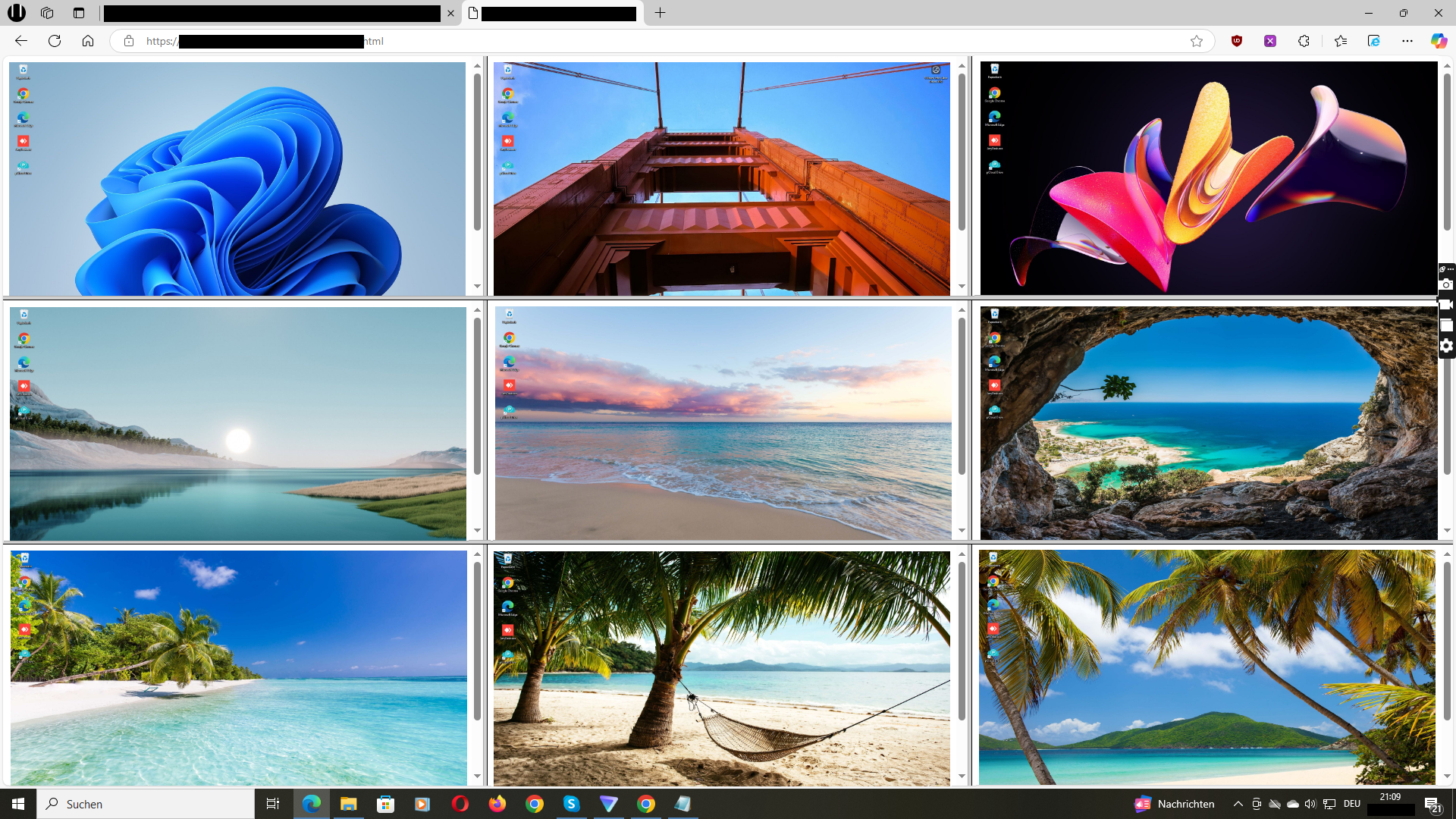
Wolfeye Remote Screen displays the screens of managed Windows PCs together in a browser; its product description says the view refreshes every few seconds. Software must be installed on each included PC. The live view covers the purposes that are easiest to communicate in practice: the current overview when you need it.
Wolfeye is deliberately not a remote control tool and not a keylogger – during a rollout this limitation is an argument, not a drawback. If you additionally want a screenshot history, treat it as its own, separately announced storage decision with its own rules for access and deletion.
Sample announcement for your team
This wording is a starting point – adapt the purpose, scope and contact person to your company:
“Dear team, from [date] we will use a shared screen overview on our company Windows PCs. Reason: [concrete reason, e.g. support availability / coordination on billing tasks]. What is visible is the current screen of the company PCs – no more and no less. There is no remote control, no automatic performance scoring and no evaluation of private use. Access is limited to [names/roles]. All details are in the attached policy. I am happy to answer questions in person or via [contact].”
Your rollout checklist
- Is the concrete purpose documented and limited?
- Are the legal prerequisites clarified (data protection, works council where applicable)?
- Is there a short written policy (devices, access, times, retention, contact person)?
- Has the team been informed personally before installation?
- Is access limited to a few named people?
- Is it defined how changes to the scope will be announced?
Common questions about introducing monitoring to a team
Do I really have to inform the team beforehand?
Yes. In virtually all jurisdictions, informing employees is a prerequisite for a lawful rollout – and regardless of the law, it is the decisive factor in whether the team experiences the overview as a work tool or as surveillance.
What if individual employees object?
Take objections seriously and examine them factually: is it about scope, access or retention? Concerns can often be resolved by narrowing the scope. Whether individual employees can refuse the use of company devices altogether is a legal question – clarify it with your privacy or legal advisor.
How long should the policy be?
One to two pages are enough. What matters is not length but that devices, access rights, usage times, retention and contact person are unambiguously regulated and that every affected person has acknowledged the policy.
Should I start with a pilot group?
In practice this is often the calmest path: one department first, a short review after a few weeks, then the extension. This way you spot communication problems early, before they affect the whole team.
May I use the overview to evaluate performance?
A screen view shows only the visible state – not the quality of work and not the reasons for pauses. Use it as a reason to ask questions, not as an automatic performance rating. Your policy should state this explicitly.
Do I need to install anything for the online demo?
No. The link opens a sample overview in your browser. Seeing your own Windows PCs requires a separate setup. Contact the developer for a personal trial.