DE EN ES
wolfeye.co

Spot bottlenecks live — improve workflows faster.

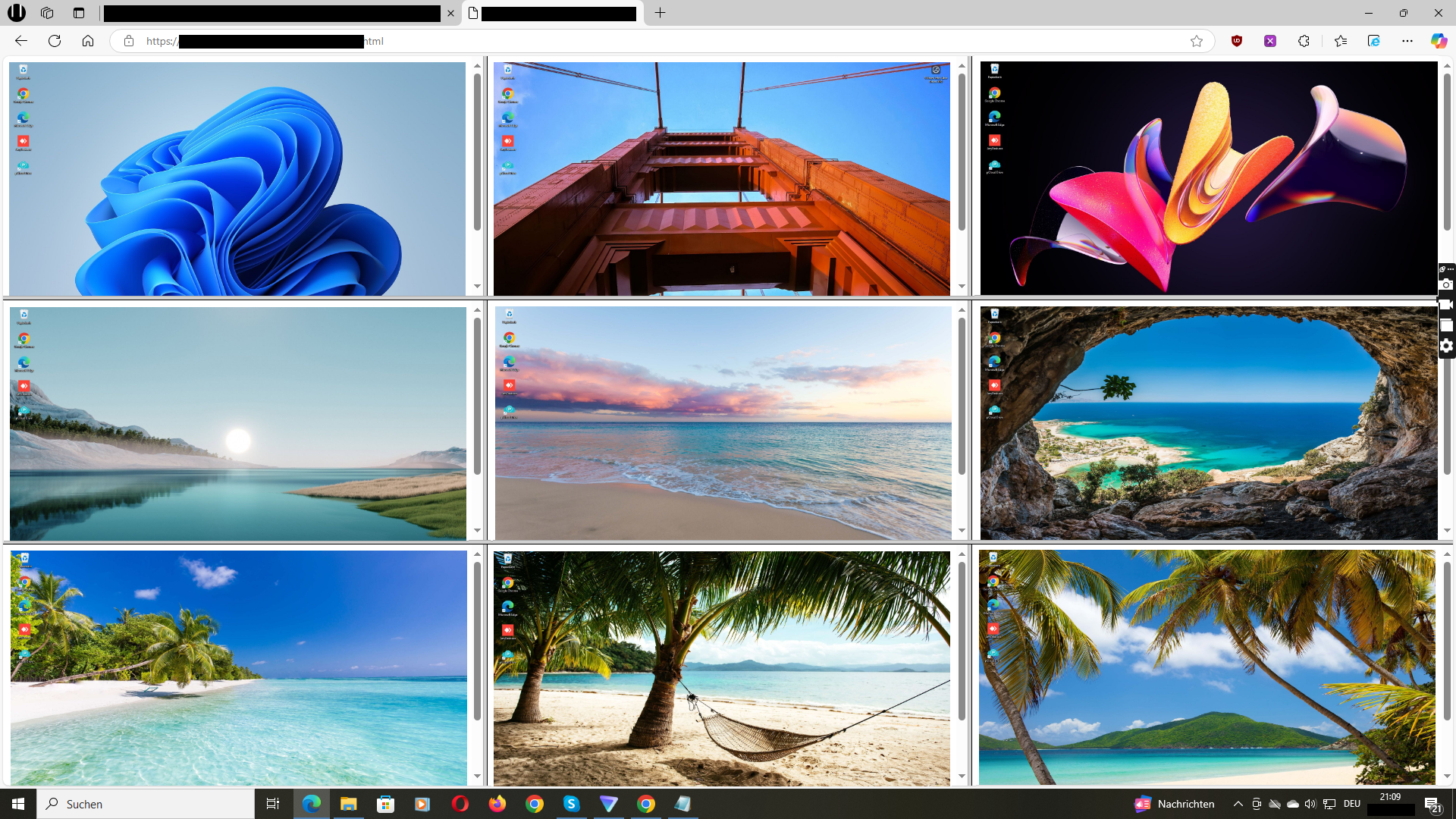
With Wolfeye, see live what your team is working on — a browser-based grid view. Perfect for quickly finding blockers, waiting time, and process friction (support, ops, onboarding).

Only $80 per year per PC · Cancel anytime · 14 days free

Windows · No credit card · Scalable (5–500)

“We instantly see where work gets stuck — and can coach with facts instead of guessing.”
— Operations Lead, SME
Wolfeye Live Grid Dashboard: productivity & workflow visibility

Common bottlenecks you can spot in minutes

Support backlog: Tickets take too long — nobody knows why.

Ops/QA: Errors happen in long steps — hard to pinpoint.

Onboarding: New hires get stuck — unnoticed for hours.

For operations, team leads & IT providers

Wolfeye is not a complex reporting suite. It’s live visibility: instantly see where work stalls — and coach precisely instead of stacking meetings.

Privacy-first: Live mode overwrites continuously — no permanent storage by default.
2-minute setup
Office & remote
Lightweight
5–500 PCs

→ See ops/support guides in the blog

How Wolfeye improves productivity

Live browser grid (instant overview)

One login — see all relevant screens in a grid. Auto-refresh (e.g., every 3 seconds) for quick situational awareness.

Tip: Use the grid as your “radar” for support & ops — without launching remote desktop sessions.

14 Days Free Trial →


Live grid dashboard in the browser

Find blockers & time-wasters faster

See where people wait, search, or get stuck — and remove blockers in minutes, not hours.

Great for ops/team leads: fewer status meetings, more real help.

14 Days Free Trial →
Make bottlenecks visible live

Frictionless onboarding & coaching

Get new hires productive faster: quickly spot where help is needed and guide them with clarity.

Works for remote and office teams.

14 Days Free Trial →
Faster onboarding and coaching

Lightweight & unobtrusive

Starts with Windows and runs without pop-ups. Built to stay out of the way during daily work.

Important: Monitoring rules depend on employment/privacy law. We recommend transparent use with a clear IT policy and legal advice.

14 Days Free Trial →
Lightweight Windows agent

Short walkthrough (90 seconds)

See how the live grid helps you spot bottlenecks and act faster.

Video: Wolfeye walkthrough (YouTube)

14 Days Free Trial →

FAQ (quick)

How fast is setup?
Typical: install the agent → open the dashboard in your browser. Small teams often in minutes.
Is it lightweight?
Wolfeye is designed to be lightweight (no heavy browser video streaming).
Is it legal?
Depends on your country and employment/privacy laws. Use transparently with a policy and get qualified legal advice.

Guides & templates for ops, support & remote teams

Practical articles, setups and checklists — free and actionable.

Go to Blog →
Wolfeye is monitoring software. Use is subject to local laws (employment/privacy). Unlawful use is prohibited. We do not provide legal advice. Get qualified legal advice and inform employees / obtain consent where required.